Ready-to-use AI Apps
Easily manage evaluation processes and produce documents in different formats.
Technical Support
In this tutorial, we will guide you through the steps necessary to manage technical support on the platform. You will learn how to create a new support ticket and how to view and manage existing tickets. This process is essential to ensure that any issues or suggestions you have are addressed efficiently and promptly.
How to Create a New Support Ticket
To create a new support ticket, you first need to access the support section from the navigation menu. This section is designed to allow you to report any issues or suggestions you have about the platform.
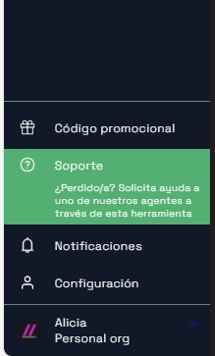 Navigation menu with the support option highlighted
Once you are in the support section, look for the "New Ticket" button. Clicking this button will open a form that will allow you to enter the details of your issue or suggestion. It is important to be as detailed as possible in the description so that the support team can understand and resolve your problem efficiently.
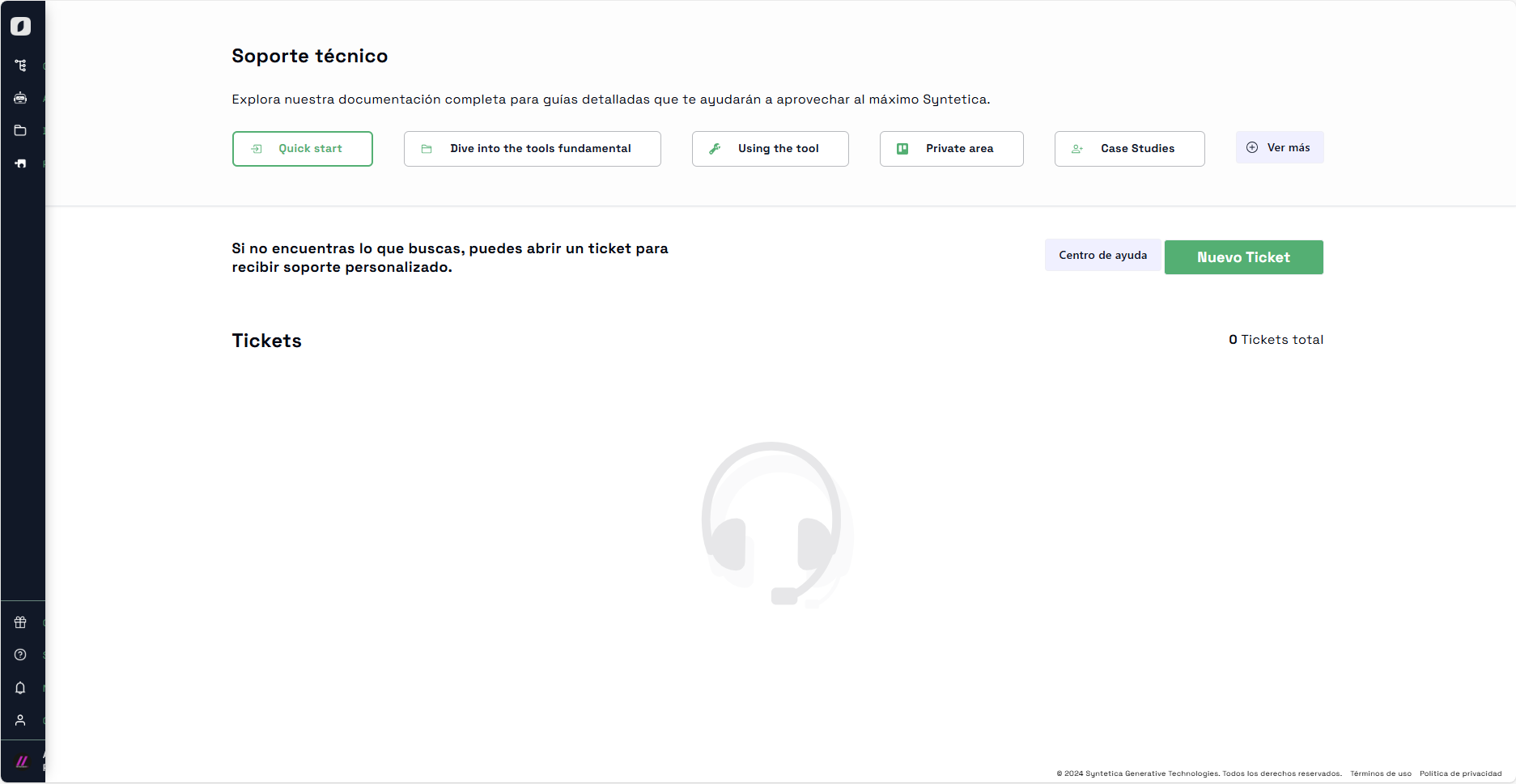 View of the support section where tickets can be created and managed
In the form, enter a subject that briefly summarizes your issue or suggestion. Then, in the description field, provide a detailed explanation of the problem, including any steps you followed before encountering the issue. Once the form is completed, submit it so that the support team can receive it and start working on your request.
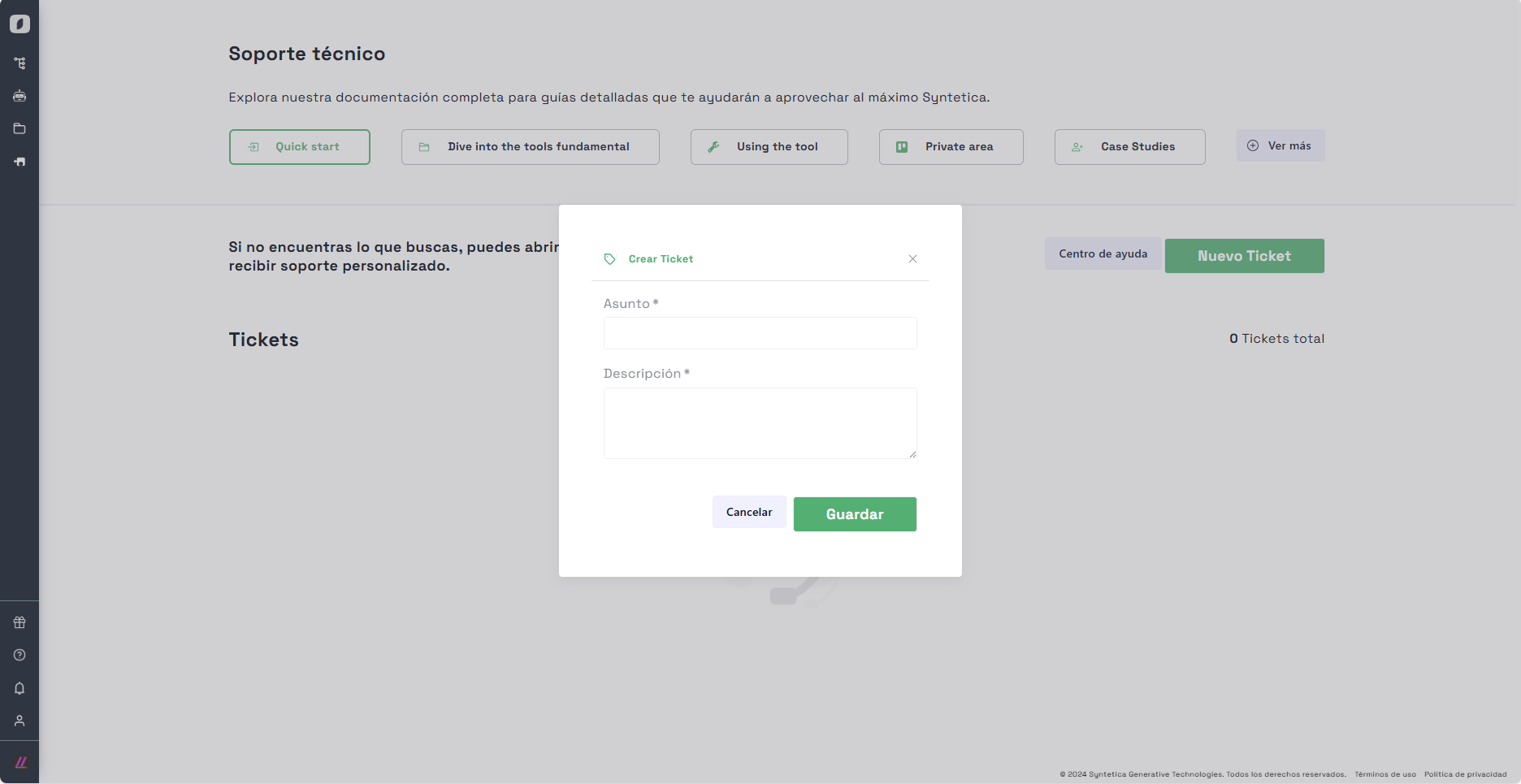 Form to create a new support ticket with fields for subject and description
Note: Be sure to include all relevant information in your support ticket to avoid delays in resolving your issue.
How to View and Manage Support Tickets
After creating a support ticket, you may want to check the status of your request or see the responses from the support team. To do this, return to the support section in the navigation menu.
In this section, you will see a list of all the tickets you have created. Each ticket will have a status indicating its progress, such as "Pending", "Under Review", or "Resolved". You can click on any of the tickets to see the full details and responses from the support team.
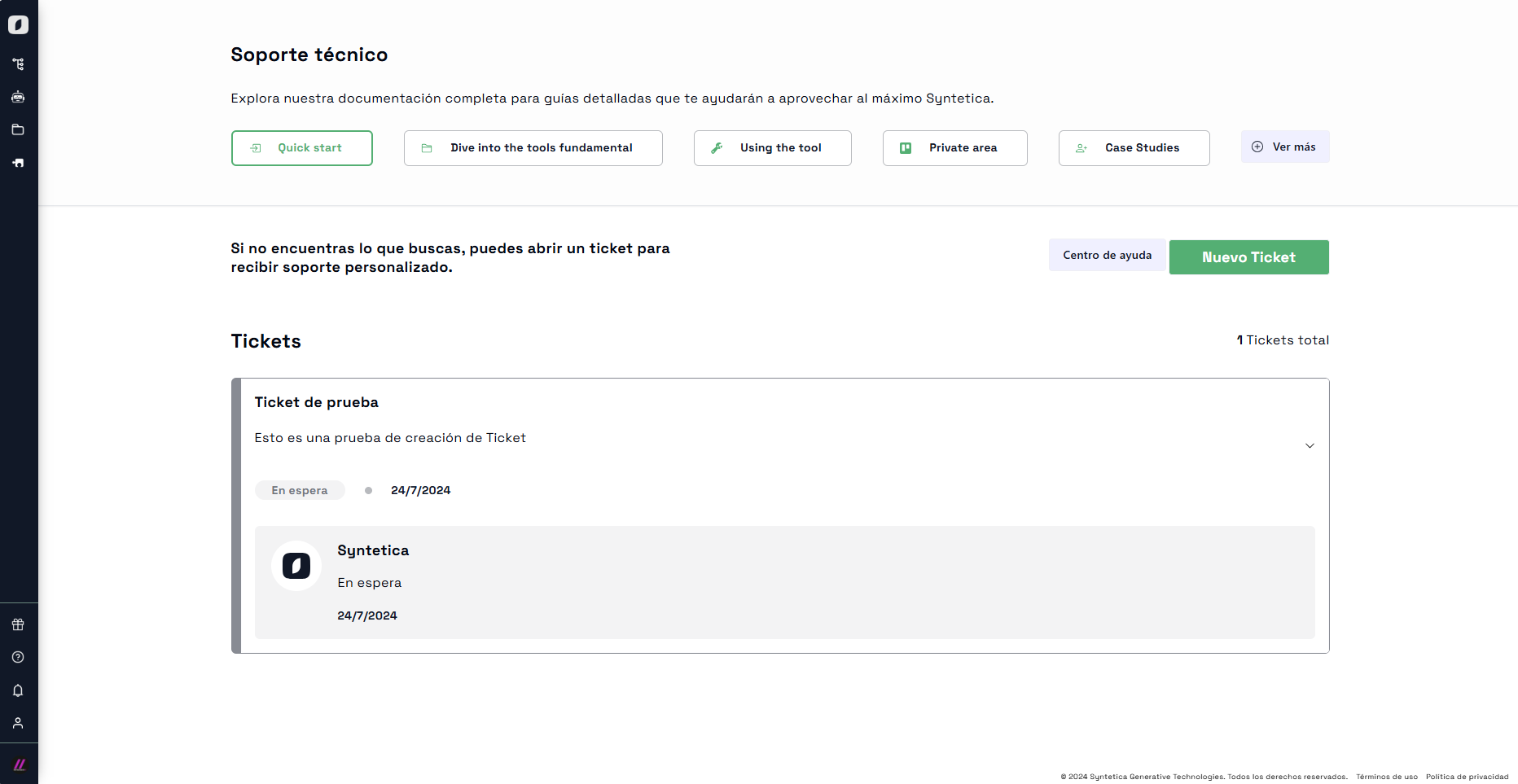 Detailed view of a support ticket with the status and date of the last update
When viewing a ticket, you can see the entire conversation between you and the support team. If you need to provide additional information or respond to a question from the support team, you can do so directly from this view. This ensures smooth and effective communication to resolve your issue as quickly as possible.
Note: Regularly follow up on your support tickets to ensure that any additional information needed is provided promptly.
In summary, managing technical support on the platform is a simple but crucial process to ensure that any issues or suggestions are addressed efficiently. By following these steps, you can create new support tickets and manage existing ones with ease, ensuring that your needs are met quickly.


