Ready-to-use AI Apps
Easily manage evaluation processes and produce documents in different formats.
Multiple Content Generation
Multiple content generation is an advanced feature of the Syntetica generation tool that allows the dynamic creation of multiple content blocks from a list or repeater. This capability is especially useful in situations where you need to generate several elements based on a previous list, such as chapters of a book, business ideas, employees in a report, among others. Below, we detail how to use this feature and its main characteristics.
Introduction to Multiple Content Generation
Multiple content generation is based on the ability of list-type blocks to produce several individual elements. These elements can, in turn, condition the generation of new content blocks in subsequent context groups. This allows for the efficient and organized creation of complex and detailed information structures.
 Multiple content generation, showing how a group can generate multiple content blocks based on a list
For example, if you have a list block that generates five business ideas, you can use multiple content generation to detail each of these ideas in additional text blocks, thus creating an individual description for each idea.
Configuring a List Block
To start using multiple content generation, you first need a list block that produces several elements. When adding a list block, you will be prompted for a generation instruction that describes what you want to obtain. This block will generate a list of elements that can be used in subsequent context groups.
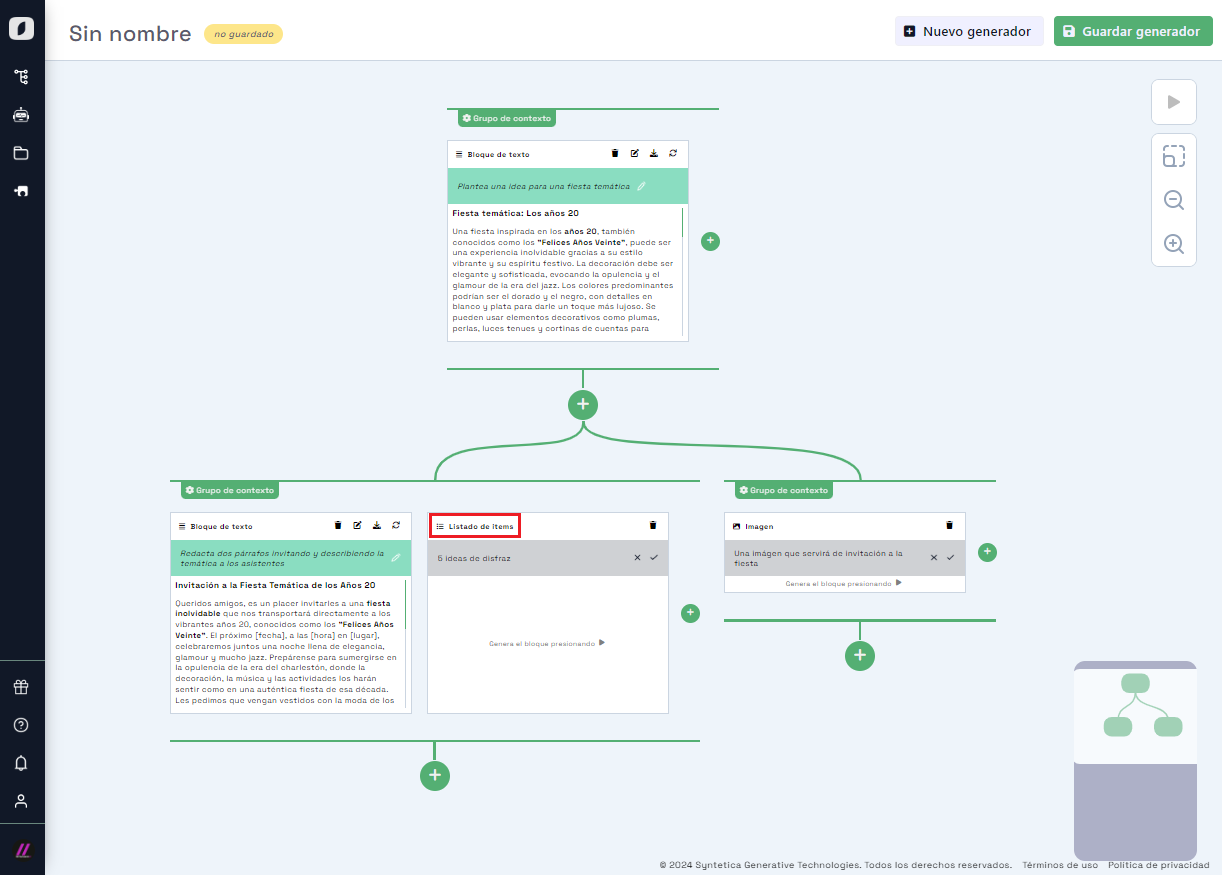 List block, used to generate a list of individual elements based on a specific instruction
For example, you can create a list block with the instruction "Propose five business ideas". When generating the content, you will get a list of five different ideas.
Creating a Derived Context Group
Once you have a list block with several elements, you can create a derived context group to generate multiple content based on those elements. To do this, hover over the context group that contains the list block and click the "+" button to add a new context group.
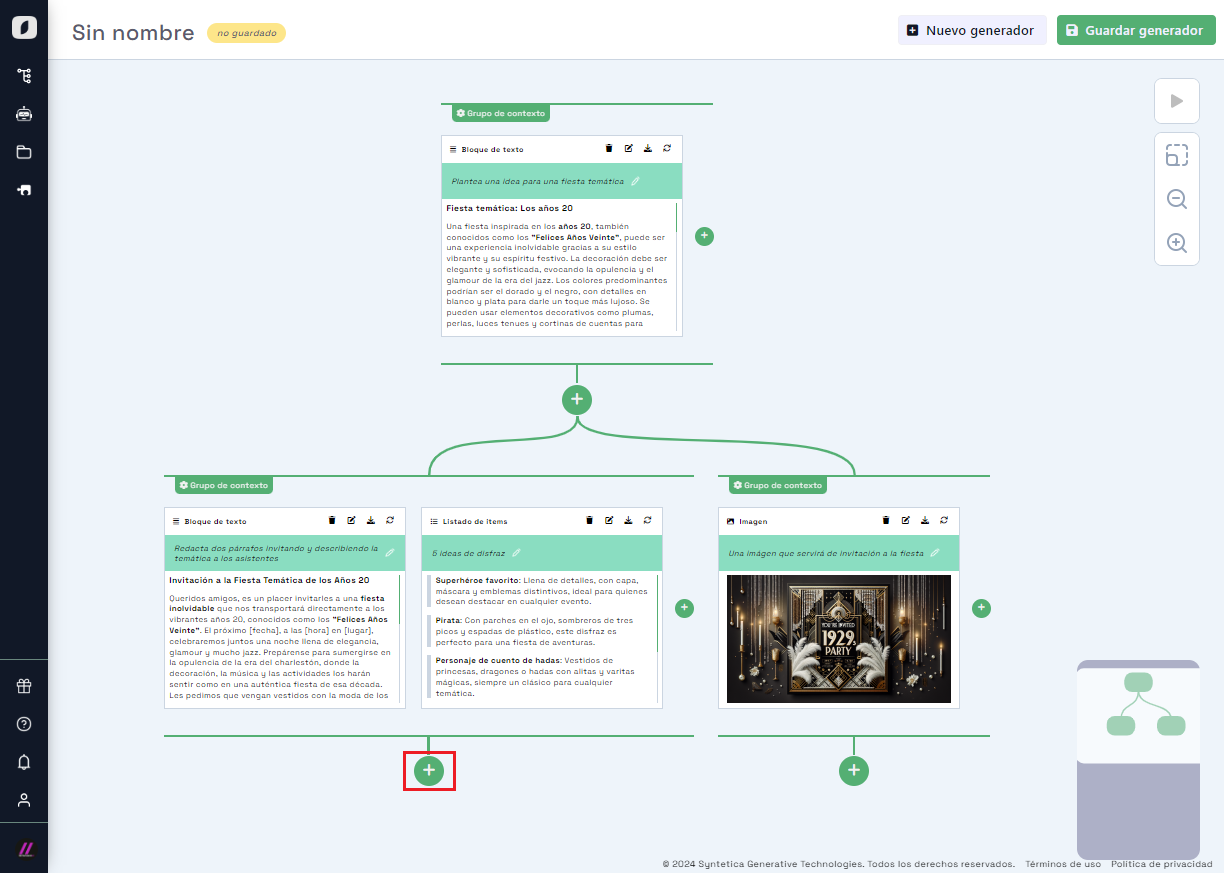 Add a derived context group from a list block to generate multiple content
When doing so, you will be shown a dialog to select the block type and specify its basic properties. In this case, select a text block and provide a generation instruction that details what you want to obtain for each element in the list.
Configuring the Multiple Content Option
Once the text block is added, the new context group will show an option in the upper center with the text "Merge: All". This option indicates that, by default, multiple content generation is disabled. To activate it, click on the text or the group options icon and configure the option to generate multiple content ("Split"), without a filter.
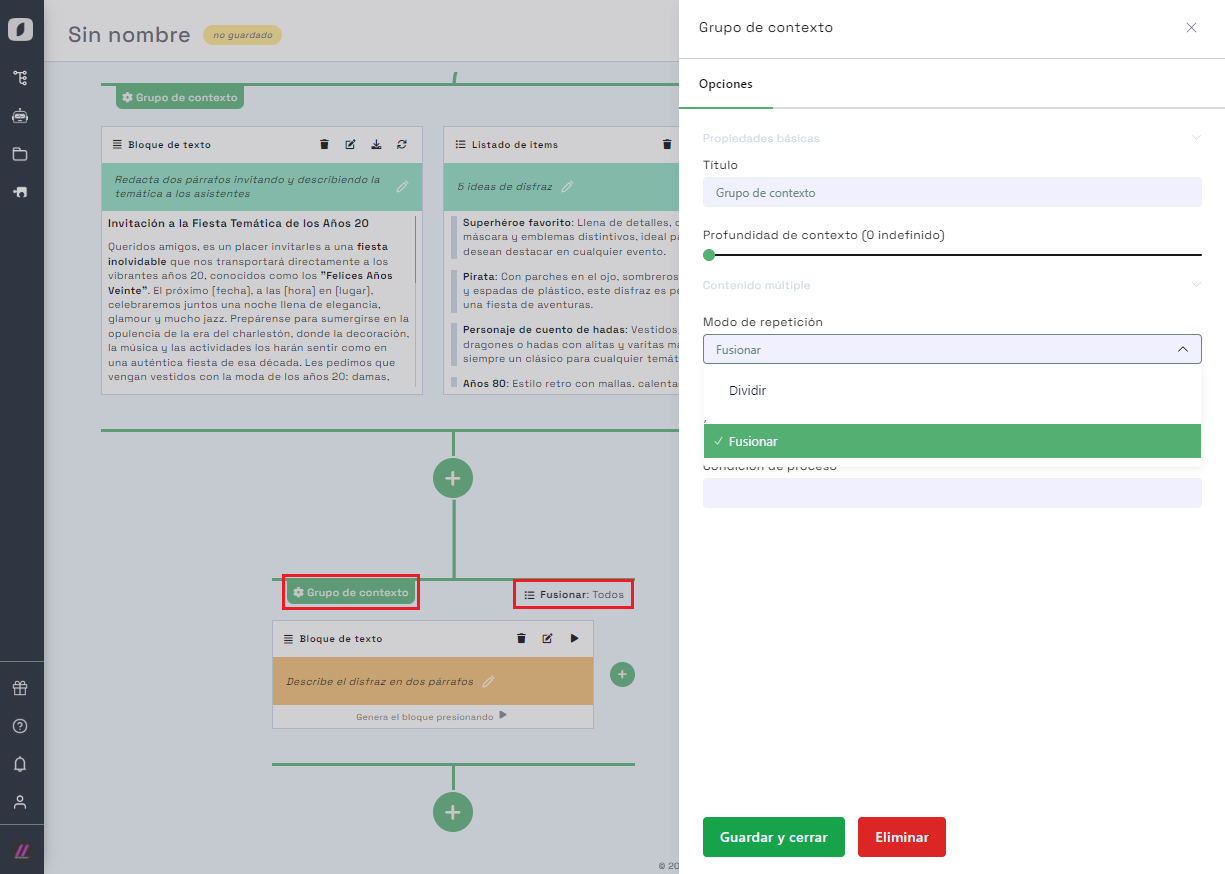 Configuring the multiple content option in a derived context group
By activating this option, the context group will be configured to generate content based on each element in the list. This means that a content block will be produced for each element in the list, accessible through tabs in subsequent blocks.
Generating Multiple Content
With the multiple content option activated, you can proceed to generate the content. Click the "play" button on the newly added block to start the generation. The system will produce a text for each element in the list, each accessible through a tab in the text block.
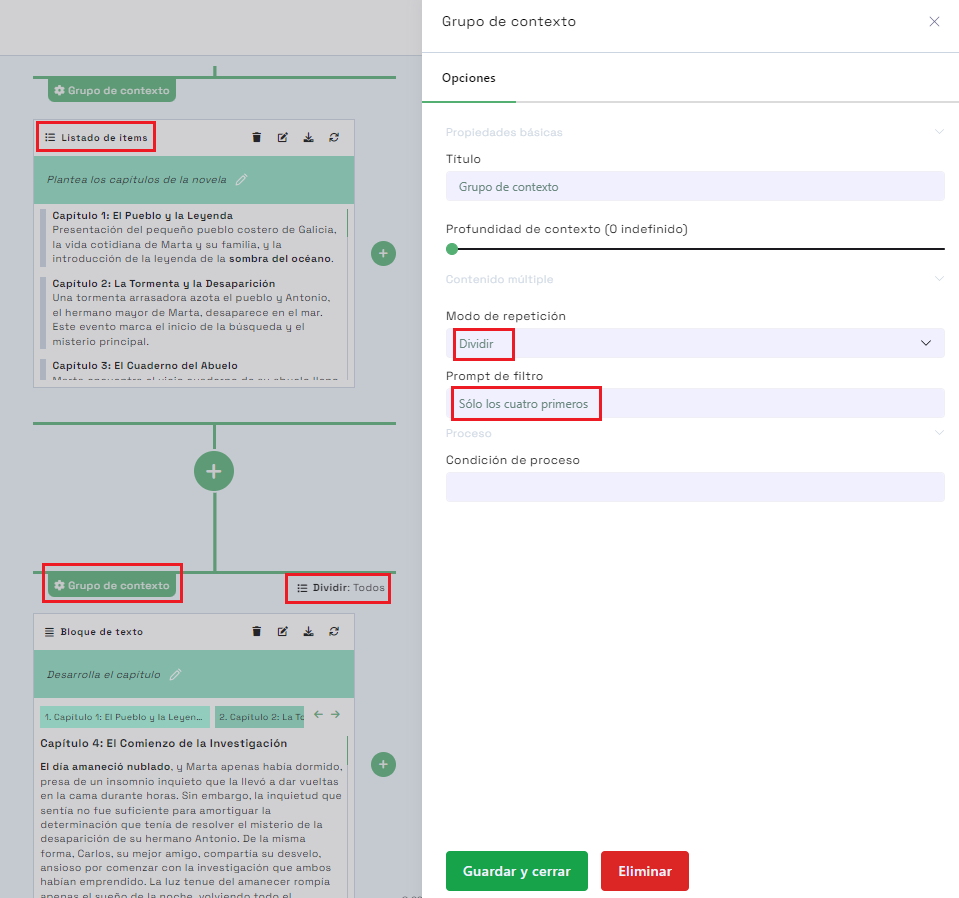
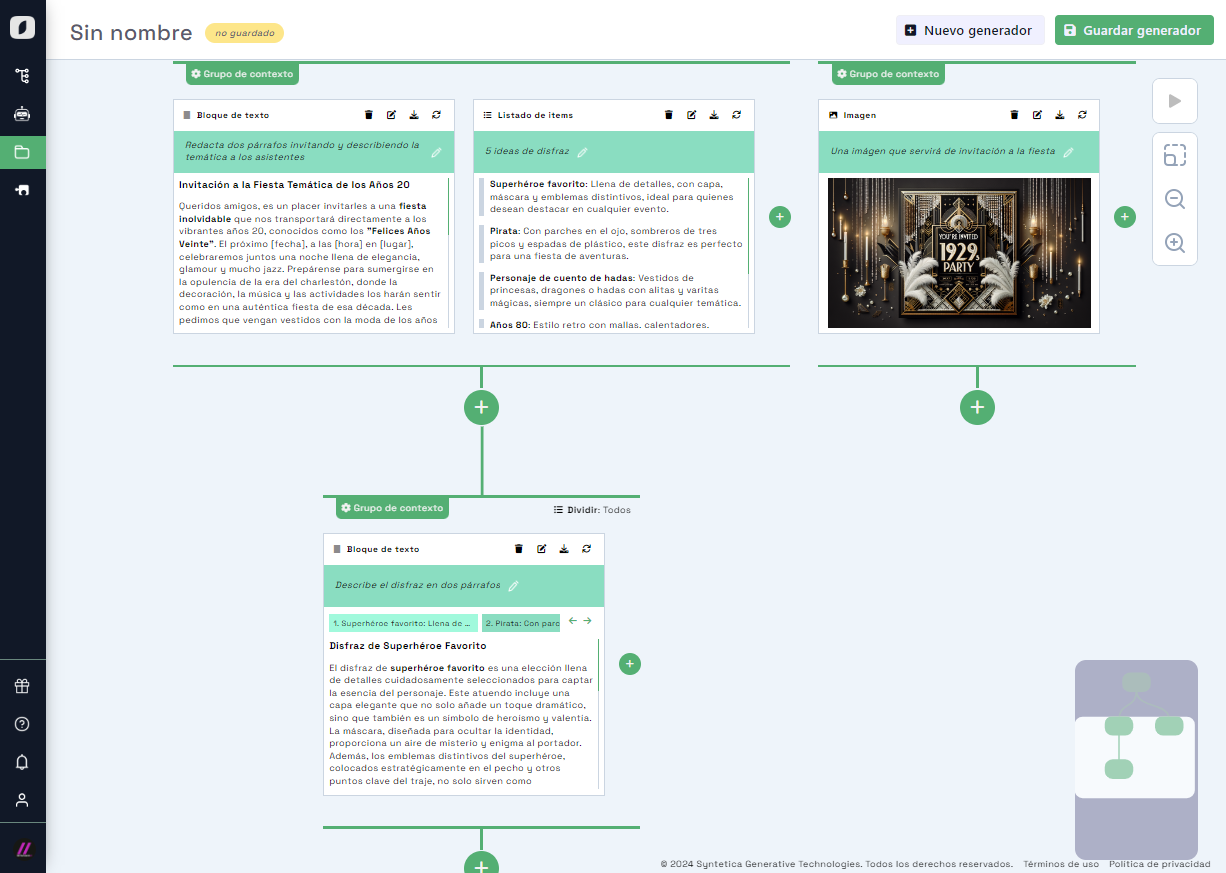 Generating multiple content, showing different tabs for each element in the list
Each tab will represent a unique element from the list, and clicking on a tab will highlight the repeater element that conditions it. This allows for easy and organized navigation between the different generated contents.
Using Filters in Multiple Content Generation
The multiple content feature also allows applying filters to reduce the number of elements in the list that will be used to generate content. This is useful in cases where the list contains many elements, and you want to limit the generation to only some of them.
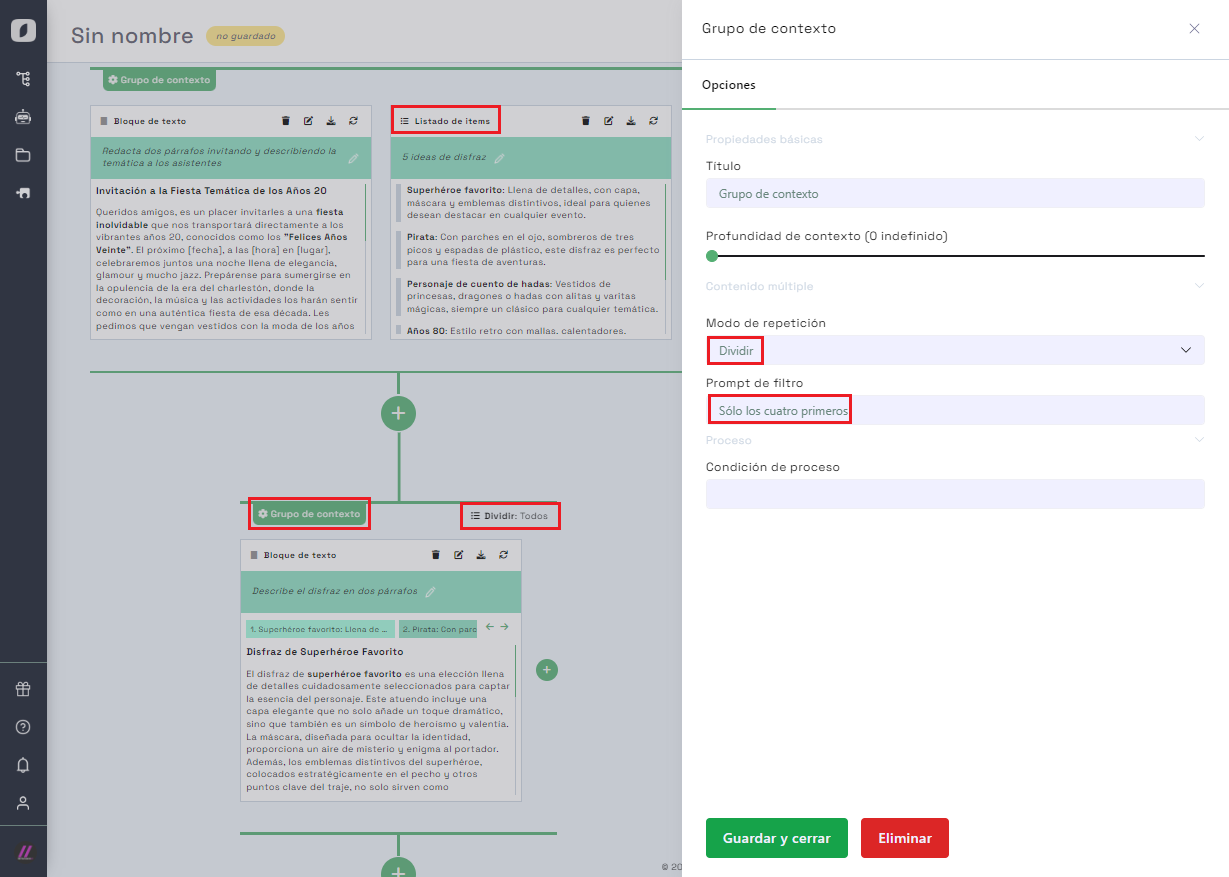 Applying filters in multiple content generation to reduce the number of elements in the list
For example, you can configure the context group to generate content only for the first four elements in the list or apply filters based on specific criteria such as "the most profitable" or "the best positioned". This is configured in the context group options, allowing precise control over content generation.
Note: A list with many elements can produce a "cascade" of generations, consuming many tokens. The system will alert you when this might happen; use the "filter" property to reduce elements if needed.
In summary, multiple content generation in Syntetica is a powerful feature that allows for the efficient creation of complex and detailed information structures. By using list blocks and configuring derived context groups, you can generate multiple content blocks based on individual elements, applying filters for even greater control. This capability is ideal for a wide variety of applications, from creating detailed reports to developing proposals and complex documents.


