Ready-to-use AI Apps
Easily manage evaluation processes and produce documents in different formats.
Context Depth and Context Management
The Syntetica generation tool allows precise control over the context in which content is generated. This is crucial for obtaining coherent and high-quality results. Below, we detail how context depth and context management are handled in the tool.
Concept of Context
Context is the complementary information provided to the artificial intelligence so that, along with the generation instruction, it produces a result that meets expectations. Controlling the context is key to achieving high-quality products, as it allows for the specialization of the information that different blocks will use to generate content.
Context Groups
Context groups are essential for controlling the information that blocks use to generate content. When adding a block, it is always placed in a context group, which defines the data available to its blocks for generation. Every context group derives from another, except for the first one, and this dependency line establishes the content that will influence and provide context to the blocks within it.
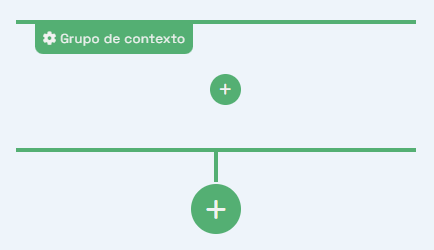 Context groups, showing how a group derived from another can access the information from preceding blocks
The blocks in a group do not affect other blocks in the same group, only those placed in preceding groups. For example, if group B derives from group A, and group A contains a text block with the instruction "Propose an idea for a novel", all blocks in group B will be aware of the generated idea and can, for example, host another block with the instruction "Detail the plot".
Context Depth
Context depth can be understood as the number of higher levels to which a group's blocks have access. By default, this option is undefined, meaning they have access to all preceding groups in their branch.
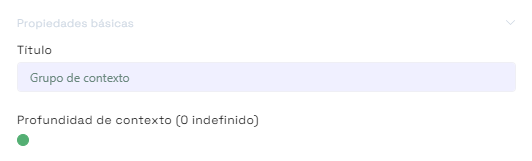 Context depth, showing how a group can have limited access to preceding groups based on the configuration
The blocks in a group with context depth set to 1 will only have access to the blocks in their preceding group. If the depth is set to 2, they will also have access to the group before that, and so on.
Configuring Context Depth
To access a group's properties and adjust the context depth, click the gear-shaped button in the upper left corner of the group. This will open a dialog where you can adjust the context depth and other group properties.
 Group properties, showing the gear button to access the configuration
The context depth can be set to any numerical value representing the number of higher levels to which a group's blocks will have access. This adjustment is crucial for controlling what information is considered when generating content, allowing for even more specialized results.
Context Management
Context management is not limited to context depth but also involves how blocks and context groups are structured in the workspace. The generation tool allows for the derivation of new context groups, creating independent branches that can specialize content in different ways.
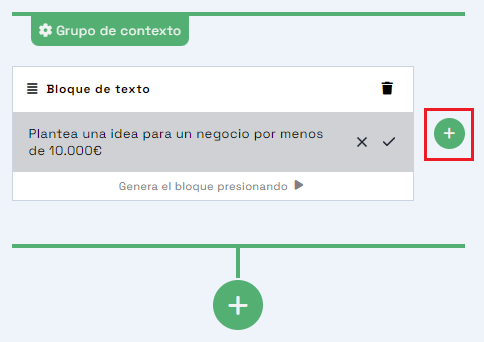 Creating a new block in the same context group
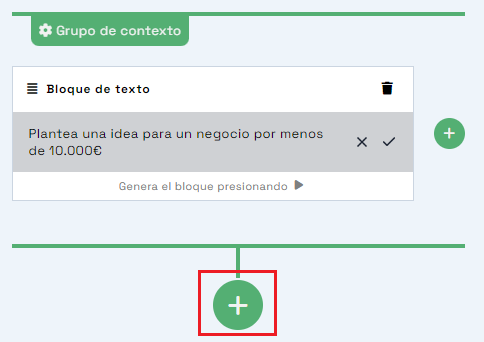 Deriving context groups, showing how content can be specialized in independent branches (creating a new context group)
When deriving a new context group, you can choose to inherit from all branches, thus consolidating the contents. This option is useful when you need to unify information from different branches to produce more specific or detailed content.
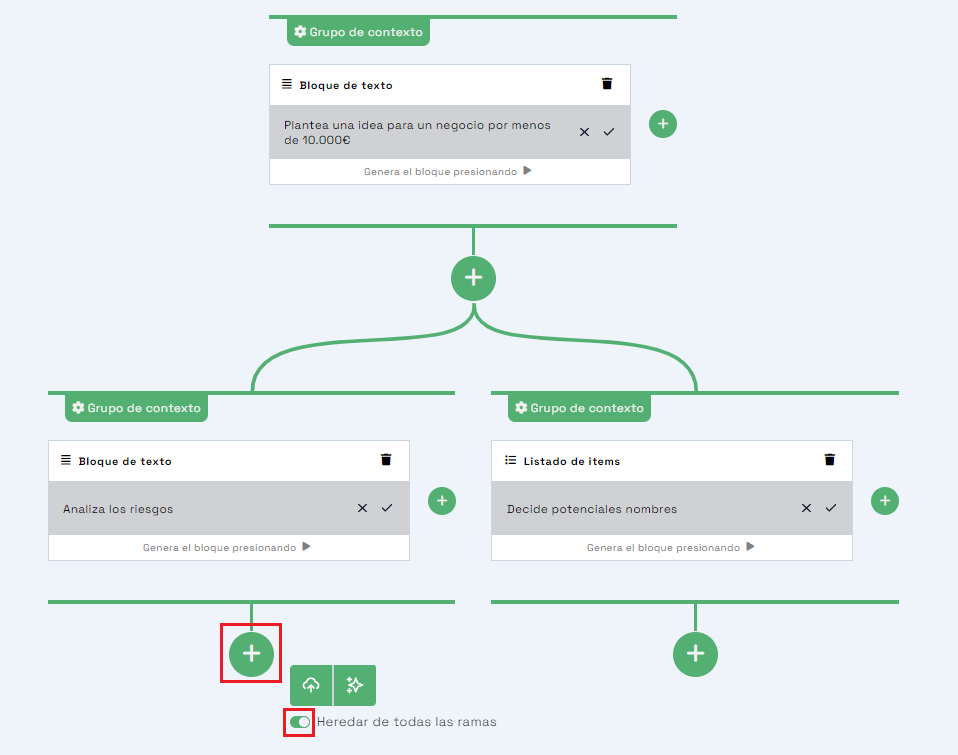 Option to inherit from all branches, consolidating contents from different branches into a new context group
In summary, context depth and context management are fundamental for controlling the quality and coherence of the generated content. By properly configuring these elements, you can specialize and optimize the results of the Syntetica generation tool.


