Ready-to-use AI Apps
Easily manage evaluation processes and produce documents in different formats.
Account Recovery
In this tutorial, you will learn how to recover and reset your password on the platform. These steps are essential to ensure that you can access your account securely and without any issues in case you forget your password.
How to Recover Your Password
If you have forgotten your password, don't worry. The platform offers a simple process to recover it. First, go to the login page and locate the "Forgot your password?" link. This link will redirect you to the password recovery page.
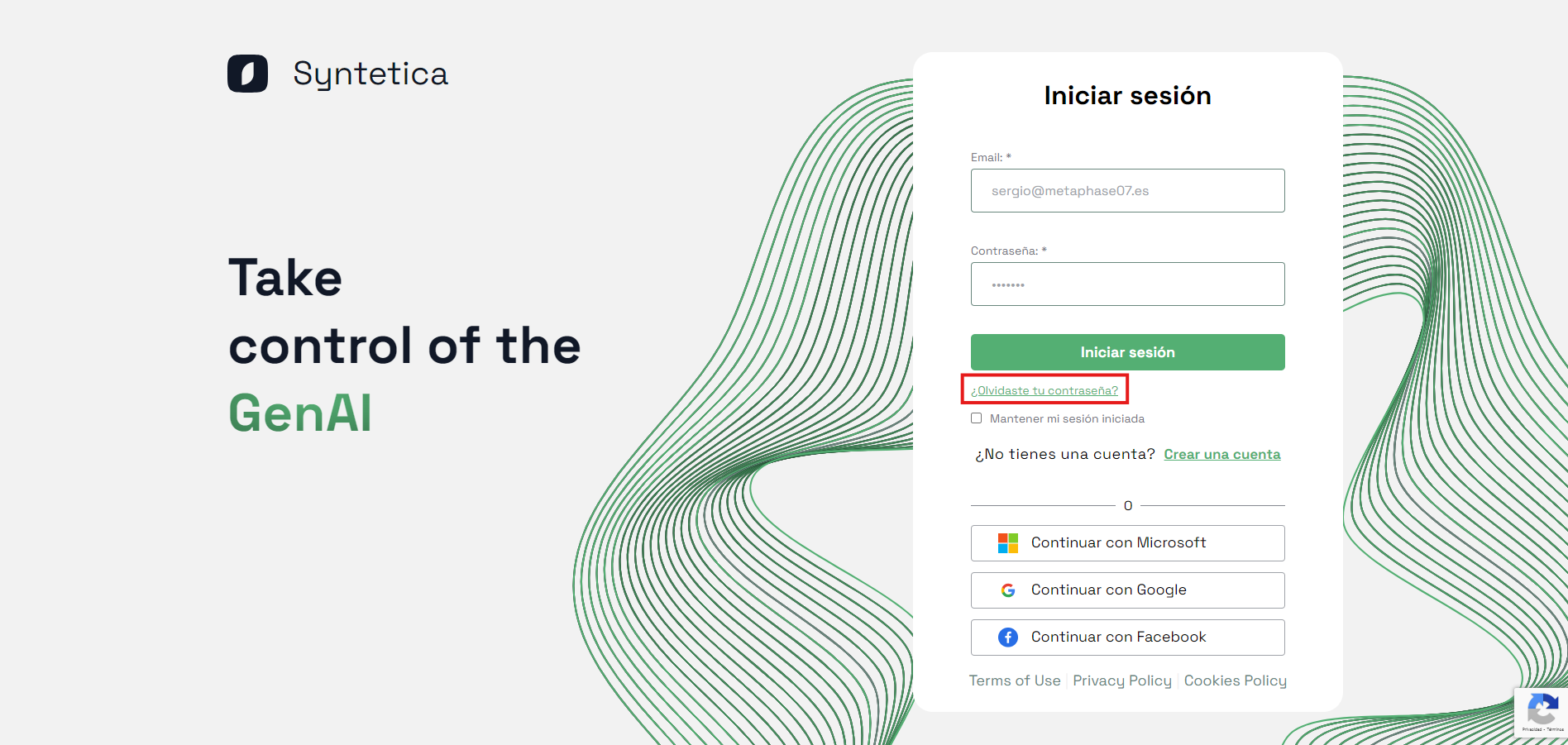
Link to recover password on the login page
Once on the password recovery page, enter the email address associated with your account. It is important that you use the correct email address so that the system can send you a recovery link.
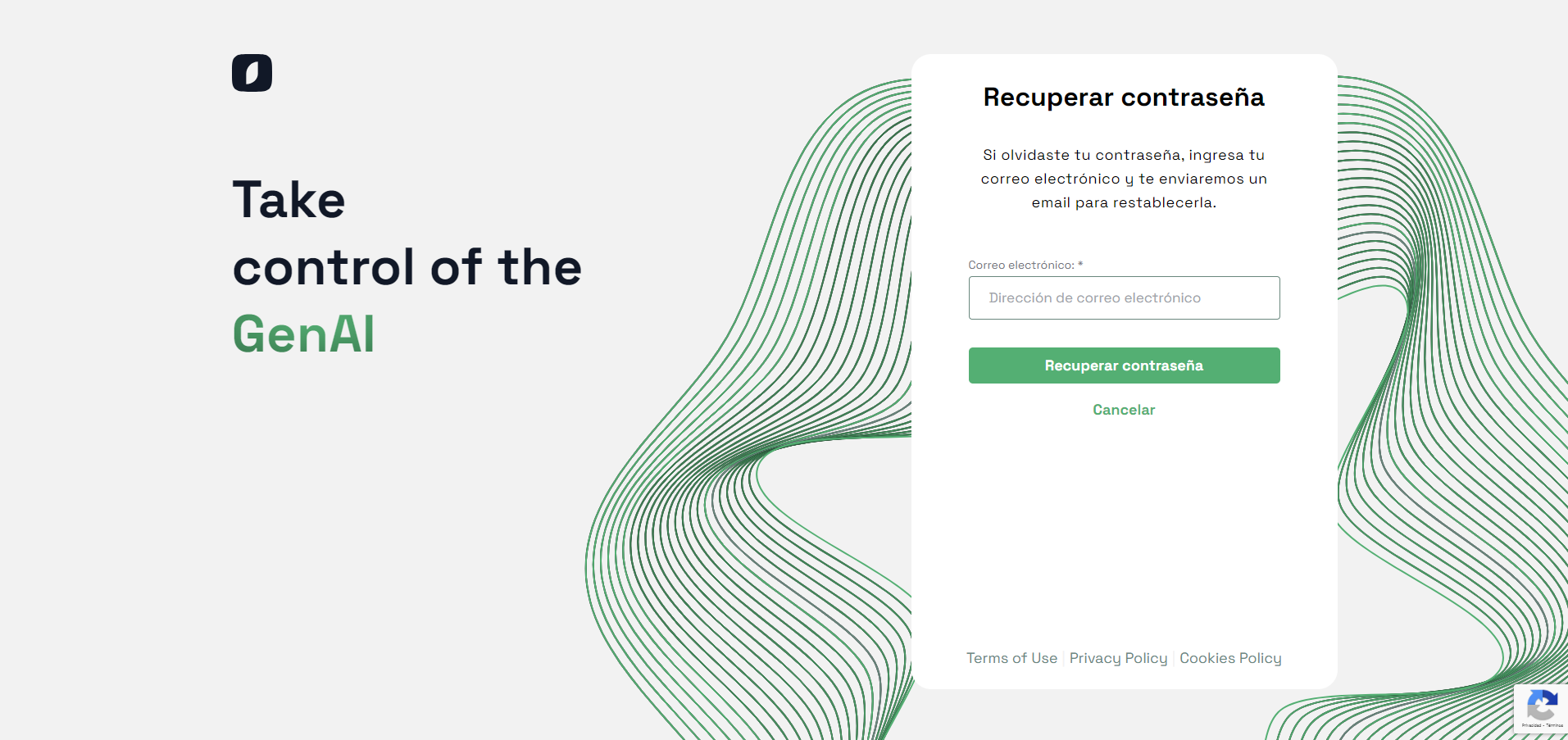
Form to enter the email address for password recovery
After entering your email address, click on the "Recover Password" button. The system will send an email with a recovery link to the provided address. Check your inbox, and don't forget to also check the spam or junk mail folder, as sometimes these emails can end up there.
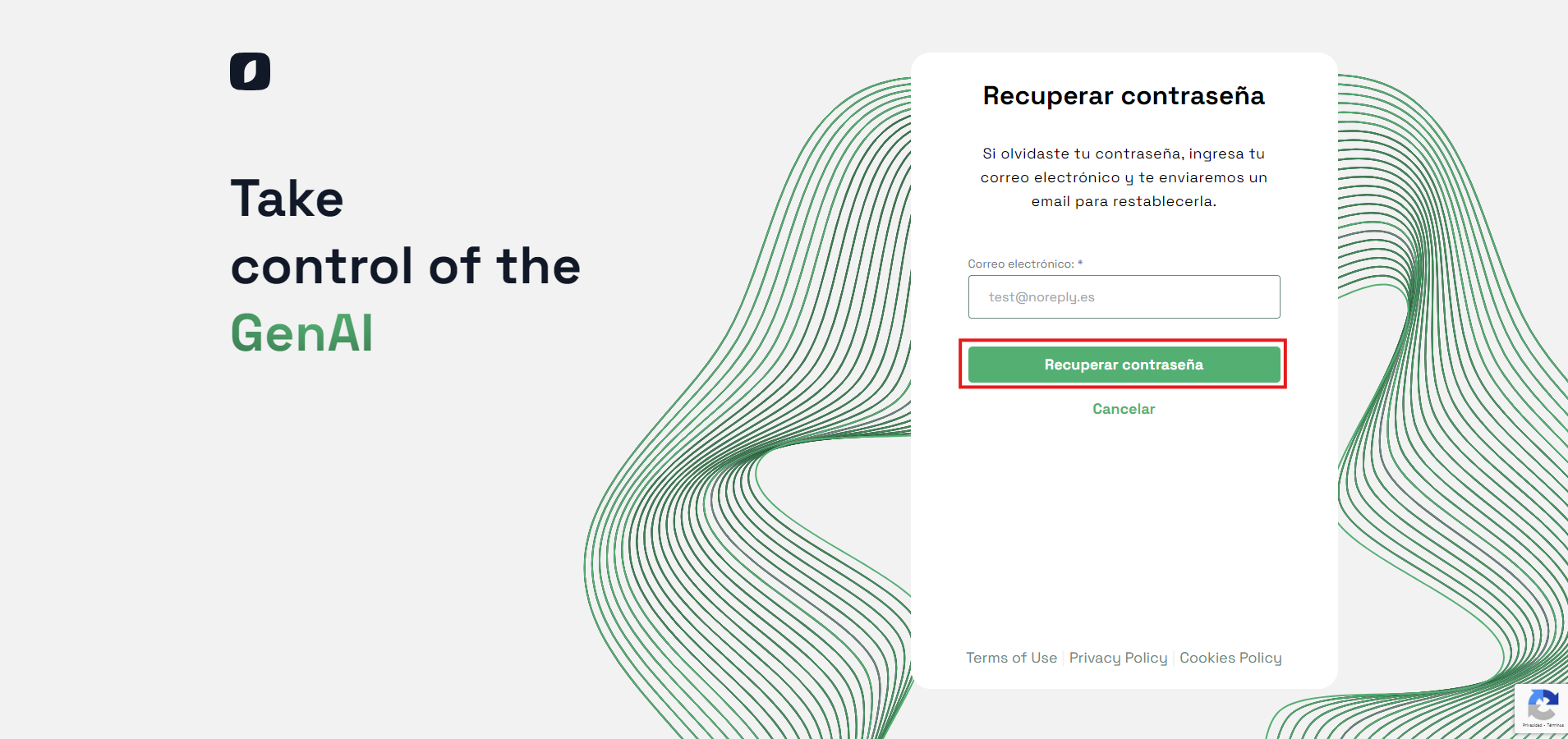
Password recovery button on the password recovery page
Note: If you do not receive the recovery email, make sure you have entered the correct email address. If the problem persists, contact technical support for additional help.
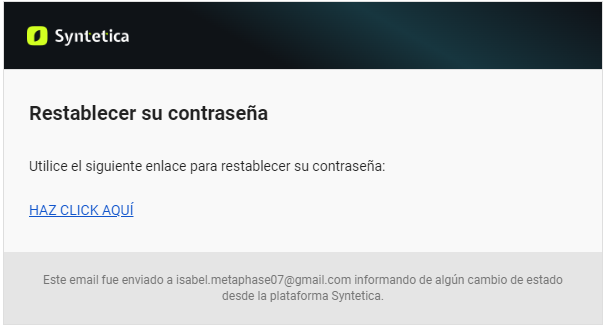
Example of a password recovery email sent by the system
How to Reset Your Password
Once you have received the recovery email, click on the provided link. This link will take you to the password reset page. On this page, you will be asked to enter and confirm your new password.
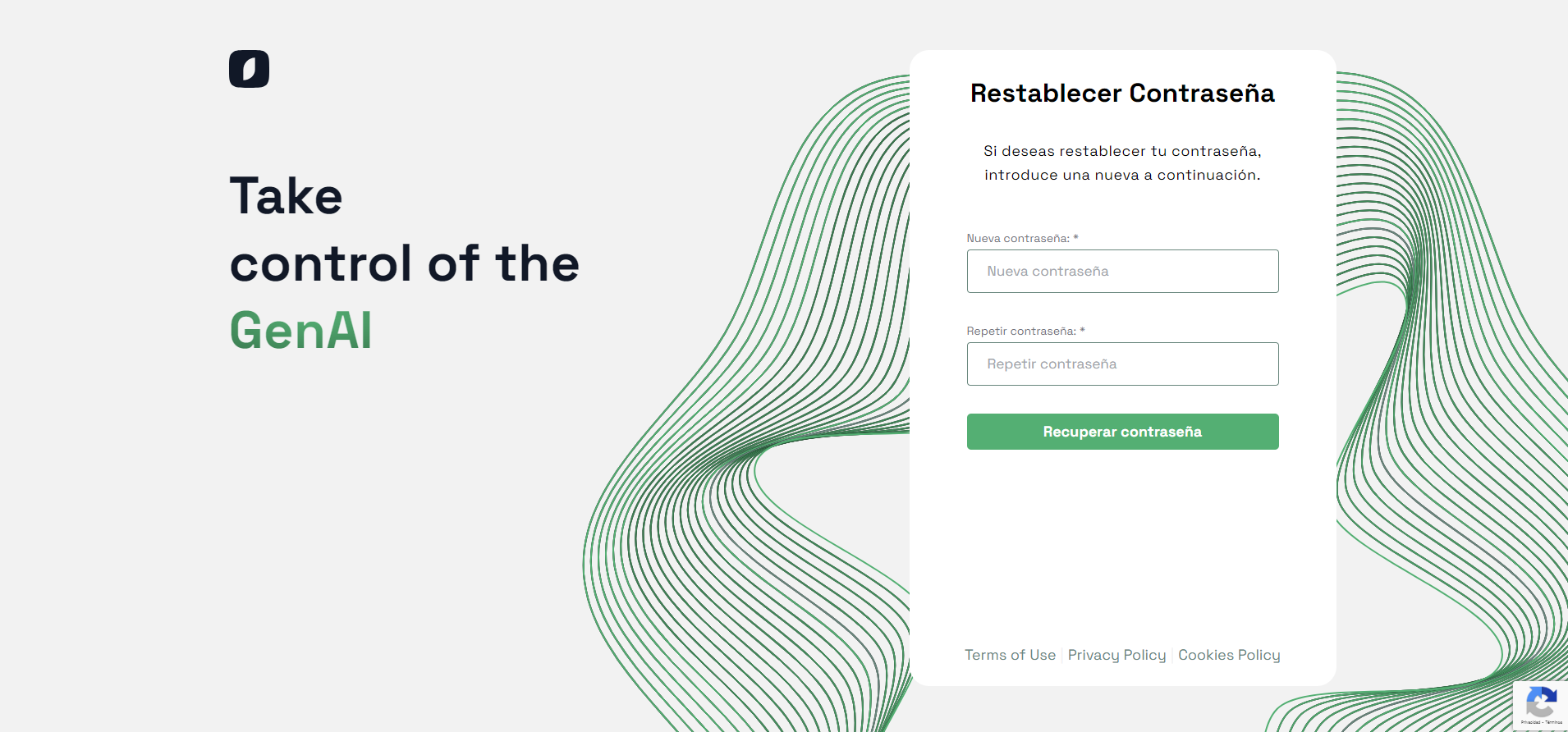
Form to enter and confirm the new password
It is crucial that you choose a secure password that combines letters, numbers, and special characters. This will help protect your account against unauthorized access. After entering and confirming your new password, click on the "Reset Password" button to complete the process.
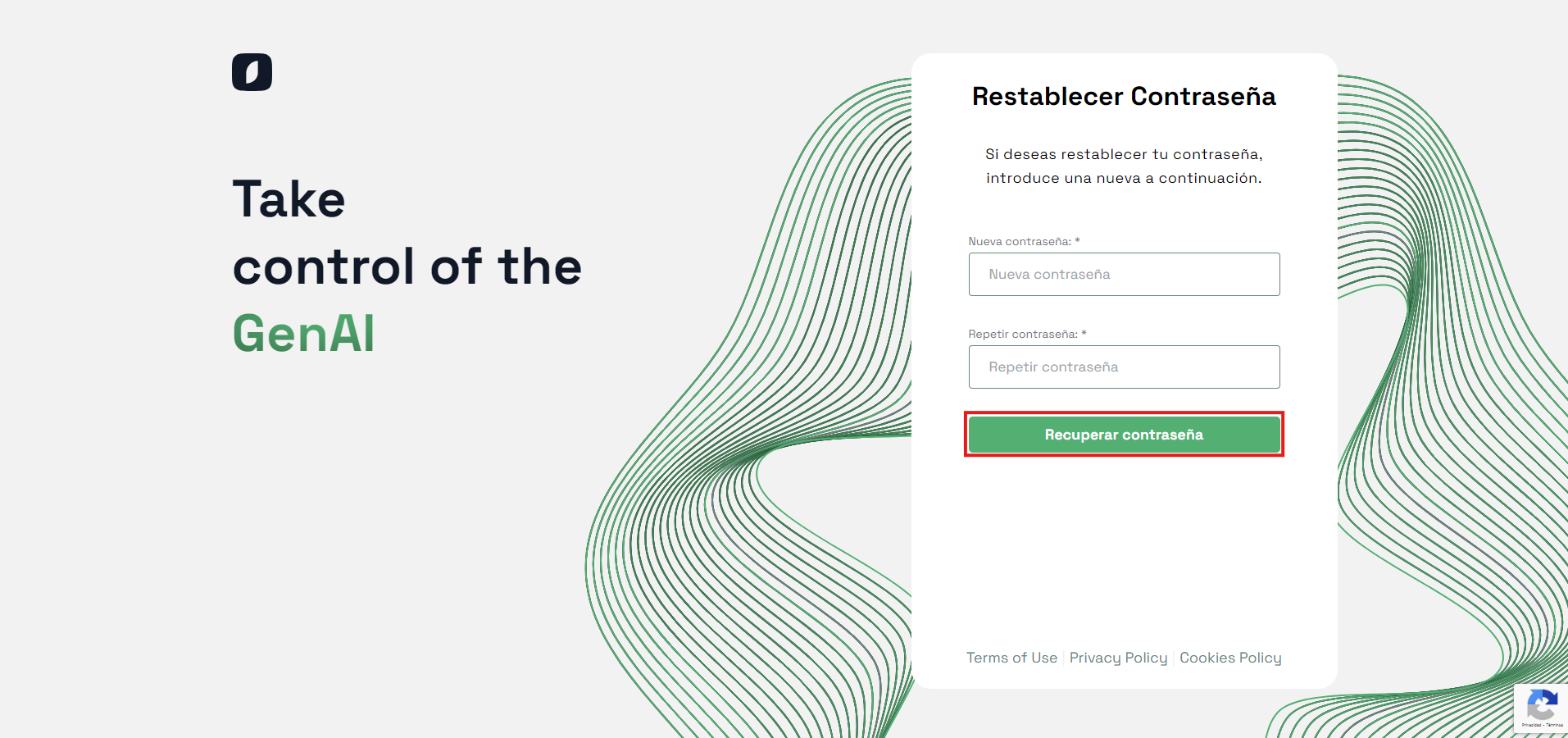
Button to confirm the password reset
Note: Make sure to remember your new password or store it in a safe place. Avoid using passwords that you have previously used for other accounts.
Once you have completed these steps, your password will be updated, and you will be able to log in to the platform with your new password. This process ensures that you can quickly and securely regain access to your account in case you forget your password.


